Your wireless batteries,
next to the clock.
Mouse, keyboard, headset and controller battery levels in the Windows tray, without vendor software running in the background.
Download for Windows All downloads

Why SwarlexBattery
Honest numbers
A level is shown only when the device itself answered. Rough readings are marked as approximate.
Small and quiet
One small program, about 10 MB of memory. No services, no vendor apps, no account.
Low battery alerts
Windows notifications when a battery runs low, held back until your full-screen game is over.
Time left
An estimate of the hours left, learned from how fast each device drains.
Updates itself
New versions come from GitHub with one click, each checked against its SHA-256.
Make it yours
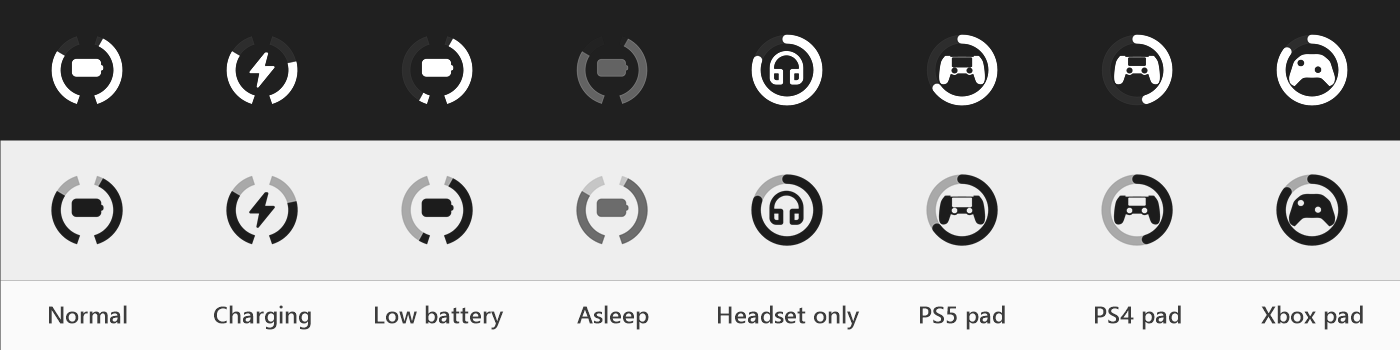
Rename a device, give it another icon, its own low battery level or hide it: right-click it in the panel. Every setting is one click away in Preferences, with a coloured icon and charging animation if you like.
Your language, your theme
English, Türkçe, Deutsch, Español and Italiano. Light or dark, like your taskbar.
Supported devices
The exact models are listed on GitHub. Device missing? Right-click the icon > Diagnostics… and attach the file to a device report.
Install
- Download SwarlexBattery-Setup.exe and run it.
- It installs for your user only. No administrator rights are needed.
- The icon appears next to the clock: left click for details, right click for the menu.
Prefer no installer? SwarlexBattery.exe from the
release page runs as it is.
Windows SmartScreen may warn the first time because the files are new; every release is built from the public
source by GitHub Actions (code signing policy).